Change resources
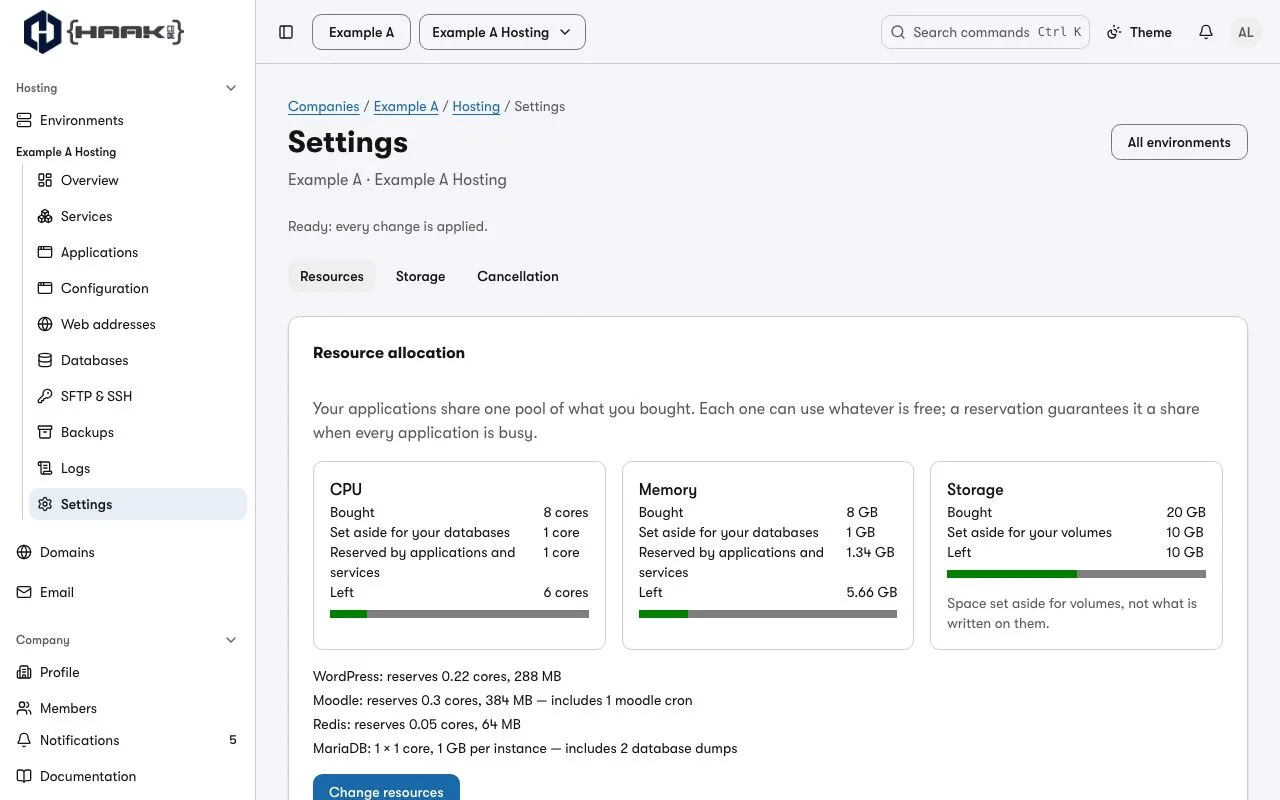
Your applications share one pool of what you bought. Each one can use whatever is free; a reservation guarantees it a share when every application is busy at once.
- Open the environment's Settings and choose Resources.
- Read Your pool: for CPU, memory and storage, what you Bought, what is Set aside for your databases, what is Reserved by applications and services, and what is Left.
- Choose Change resources.
- For an application, set what it reserves with its CPU reserved and memory reserved controls. For a database server, tick Set this allocation myself to choose its CPU and memory per instance, and its instance count.
- Choose Apply changes, read Review your changes, and choose Confirm and apply.
Every application in the pool restarts once while the change is applied, so your sites may be briefly unavailable. The review says so before you confirm.
To see what each part actually used before you choose, open Settings → Budget: it shows each reservation beside two weeks of measured use, with a suggested size.
Next
- What reserving means, and what storage counts: Your environment.
- One application's use of the pool: its Resources tab, on Applications.